Astute Beta Server Keeps Crashing: A Complete Fix Guide

Rated 4.6/5 · 284.7k

Beta builds crash more than release builds, but constant crashing has causes. A working order for diagnosing crashes: updates, cache, heat, storage and reporting.

Cue 1

Crashes Are Data, Until They Are a Pattern

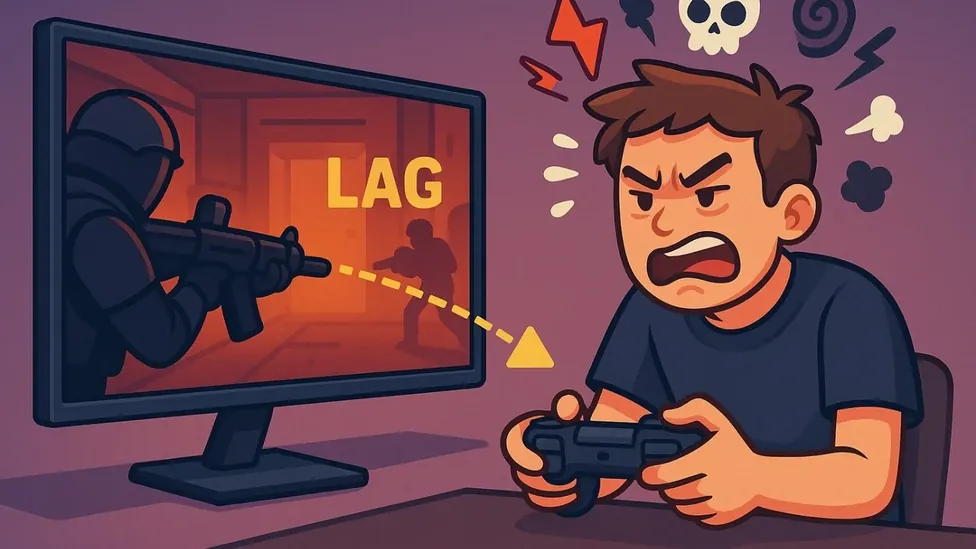
A beta build that never crashed would be a beta build nobody was pushing, so the occasional crash is the programme working as designed. Your job as a tester is to notice when crashes stop being weather and start being a pattern: the same place, the same action, the same moment in a match, because patterns are bugs with addresses, and addresses get fixed.

This guide works the pattern in order, from the causes in your hands to the ones in the developers'. The Astute Beta Server build will crash sometimes; it should not crash your evening, and the difference between those two is usually one of the steps below.

More information is available in:

Cue 2

Start With the Update State

More crash loops begin with a half applied update than with any defect in the build itself. Confirm you are on the current build, completely: open the app, let any pending update finish on Wi-Fi, and restart the phone afterward so the new build starts with clean memory rather than inheriting the old one's session.

If crashes began immediately after an update, say so in every report and suspect the pairing of new build and old cache before anything else. Our errors and fixes guide is the wider troubleshooting companion; crash work starts here because update state poisons every later diagnosis if it is wrong.

Cue 3

Cache, Storage and the Full Phone

A corrupted cache can crash a build as reliably as a bug can, and the fix is the same one from the storage guide: clear the cache from system settings and let it rebuild. A nearly full phone joins in too, because a build that cannot write its temporary files will fall over at the exact moments it works hardest.

Hold free space as crash prevention, not housekeeping vanity: a gigabyte of breathing room, more during update weeks. Testers are often surprised how many crash reports trace back to a phone at ninety nine percent, right up until they check their own.

Cue 4

Heat and Long Sessions

Crashes that arrive forty minutes into sessions, on a warm phone, are the device protecting itself. Beta builds log heavily and run hotter than release builds, and a phone in a case, in a warm room, charging while playing, is being asked to shed heat it physically cannot.

Cool the situation before blaming the code: case off, charge before rather than during, brightness sane, a pause between matches on heavy days. If crashes track temperature in your notes, report that too, because performance under heat is exactly the kind of finding a beta exists to surface.

Cue 5

When It Is the Build, Report It Properly

A crash that survives updates, cache, storage and cooling is the build's own, and it graduates from problem to assignment: capture it. Note the exact action, the screen, the match state, whether it repeats, and file it with the feedback method, steps and evidence, while the build is young enough for the fix to matter.

Screen recordings of crash steps are the gold standard of such reports, because a developer watching the crash happen needs nothing else from you. The mid guide below covers the performance side of the same devices, where crashes and slowdowns are often two readings of one strain.

Installation trouble wears a similar face and has its own guide:

Cue 6

The Stable Tester Setup

Assemble the lessons into a standing setup: current build, clean cache after updates, a gigabyte free, cool phone, sessions with pauses. On that setup, crashes fall to their honest beta level, occasional, patterned when real, and always reportable with confidence that the fault is not your own housekeeping.

That confidence is the real product of this guide. A tester who trusts their setup files crash reports that developers can trust too, and the build gets better in the exact places your matches used to end early.

Frequently Asked Questions

Common questions

Why does the beta build crash more than the normal game?

Beta builds carry unfinished code, heavy logging and unoptimised content, so occasional crashes are expected. Frequent or patterned crashes, same place and action, are bugs worth fixing and reporting.

What should I try first when crashing starts?

Confirm the current build is fully installed, restart the phone, clear the app cache, and check free storage. Update state and cache together cause most crash loops.

How do I report a crash usefully?

Record the exact steps, screen and match state, whether it repeats, and attach a screen recording if you can. File it while the build is young, with device and build details.

Closing Curtain

Treat crashes as a sorting problem: updates, cache, storage, heat, then the build itself. Worked in that order, most crash trouble ends in your own settings within ten minutes, and what remains is precisely the material your reports exist to deliver.

Set up the stable configuration once, keep your notes when a pattern appears, and your crashing story becomes what it should be in a beta: rare, understood, and useful.

Niklas Hoffmann

Reviewed by

Niklas Hoffmann

Beta Software Reviewer

Niklas tests beta builds on real Android devices, checking stability, performance and compatibility before any build is listed here.

More about Niklas Hoffmann